Roll Your Heroes beginner guide
Use your first rolls to fill a team, then watch one fight before spending your gold. A boss that barely loses health calls for a different upgrade than a stage you already clear comfortably.
Last checked
Play Roll Your Heroes on Roblox ↗From your first roll to a full team
- Open Roll Your Heroes by Hayworks on Roblox and follow the tutorial until the Roll control at the bottom is available.
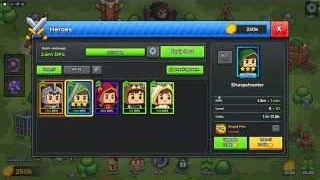
- Roll, open Heroes and select a hero card. Its detail panel shows its damage per second (DPS), level and odds. Equip a hero to fill an empty slot.
- Once you have more heroes than slots, try Equip best. Note the team damage at the top of the Heroes window and take that lineup into a fight.
Collect the tutorial and community rewards
When the tutorial opens the Shop, select CODES, paste one code, then press REDEEM. The code guide lists the individual rewards, so you can pick up Trait Stones or a luck potion before returning to the arena.
Hayworks advertises free potions and a 1.1× luck bonus for members of its Roblox community. Playing with friends can add up to 50% bonus gold.
Choose your next move
| What you see | What to try |
|---|---|
| The boss survives with health left | Check team DPS and level an equipped attacker. Compare your next attempt against the same boss. |
| Rolls keep yielding the same heroes | Open Heroes and check the fusion options. Matching copies can raise a hero’s stars. |
| A stronger hero is sitting out | Swap it into the team. If every slot already holds a strong attacker, check your next Prestige unlock. |